Build the mockup. Send the proof.
Turn customer artwork into product mockups, organize every color and view into one proof package, and collect approval or revision notes through a branded link.
21 days free · no credit card · then $199/month
Step 1
Start with the customer artwork
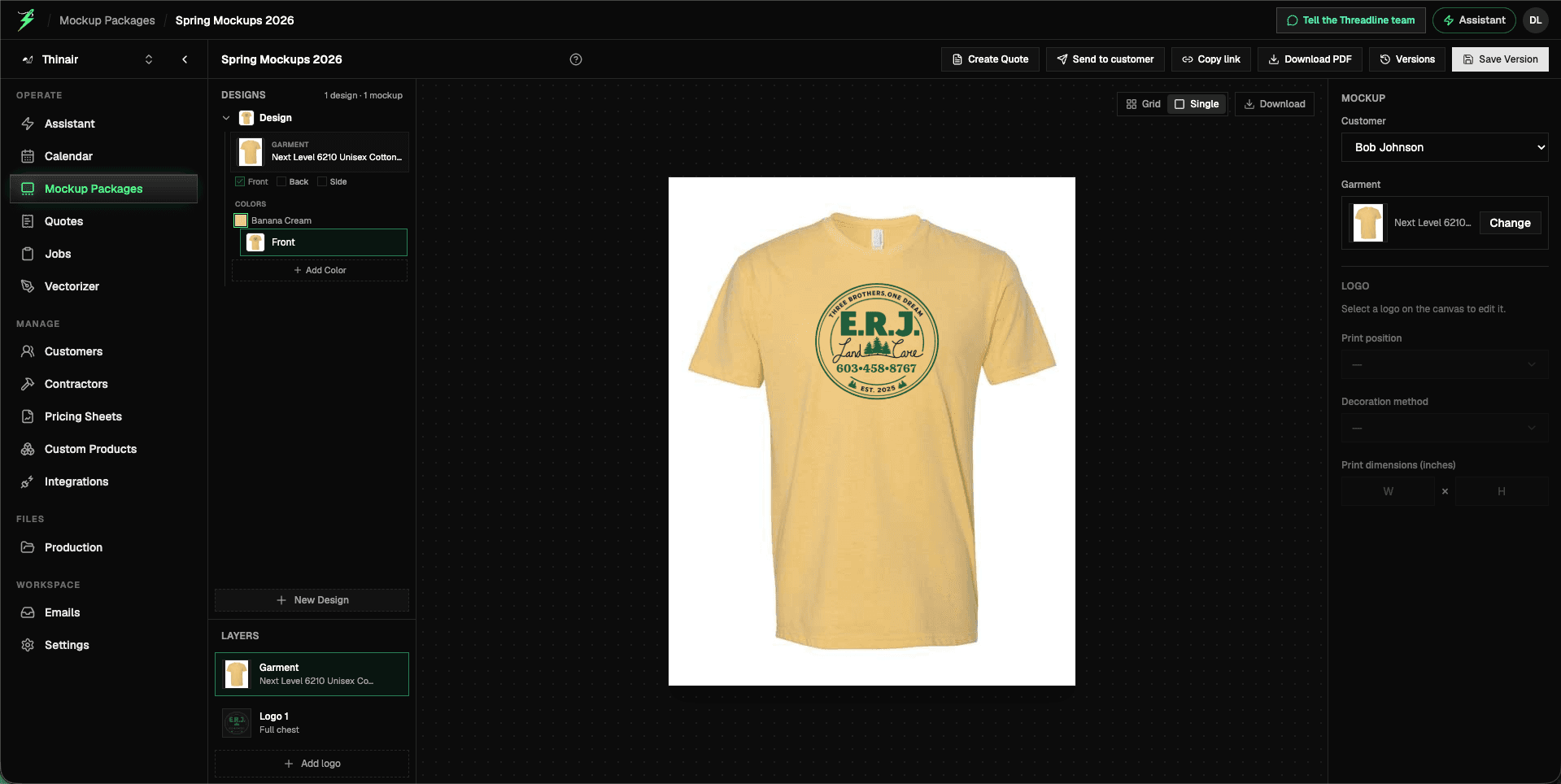
Choose a product and place the art on supplier photography or your own product image. Set the placement and build the views the customer needs to review.
Step 2
Build every variation into one proof
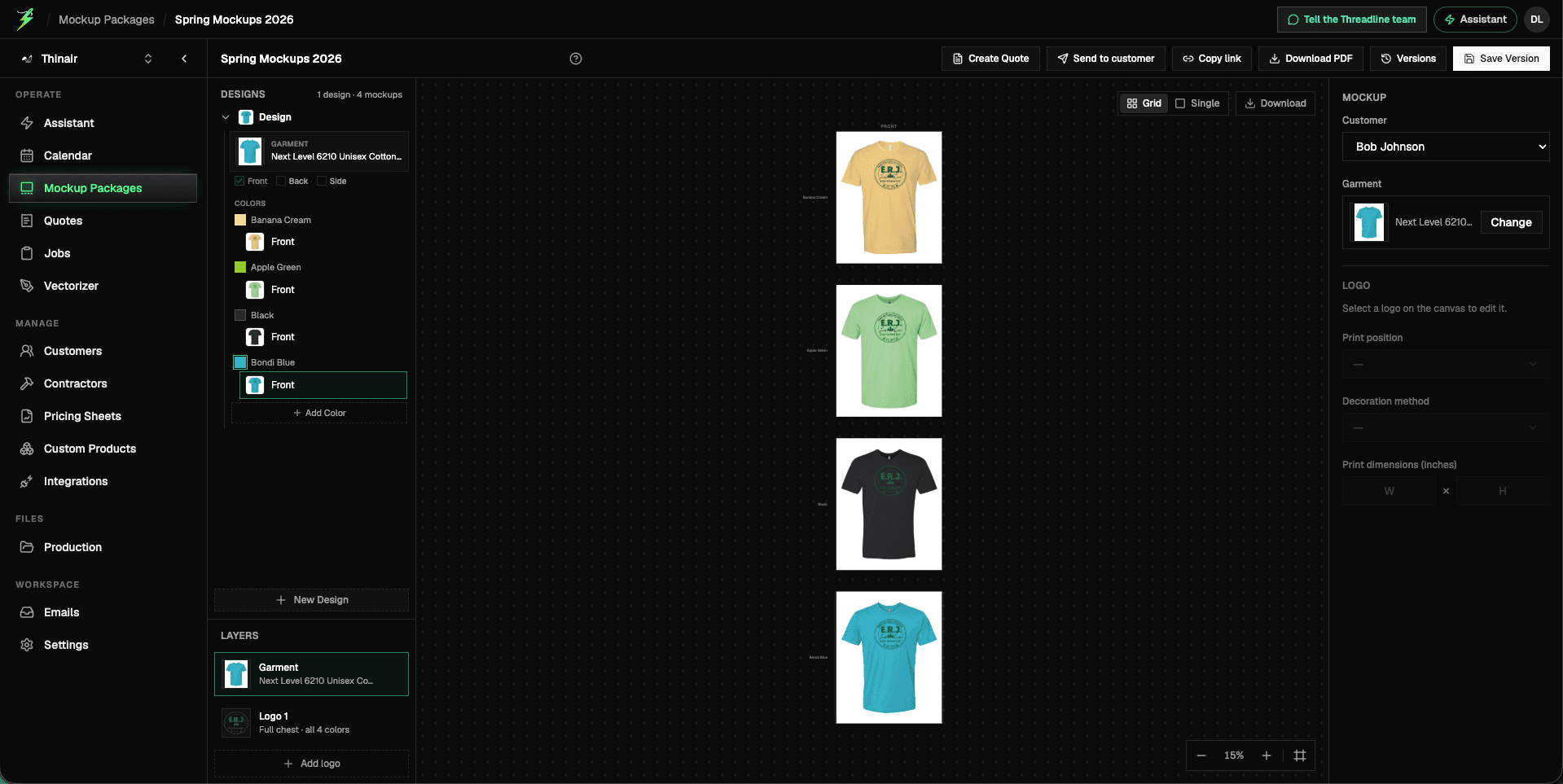
Keep one design, four colorways, and every front-and-back view together. Update the artwork once, apply it across the set, and let the customer compare the complete direction at a glance.
Step 3
Let the assistant handle the repetitive setup
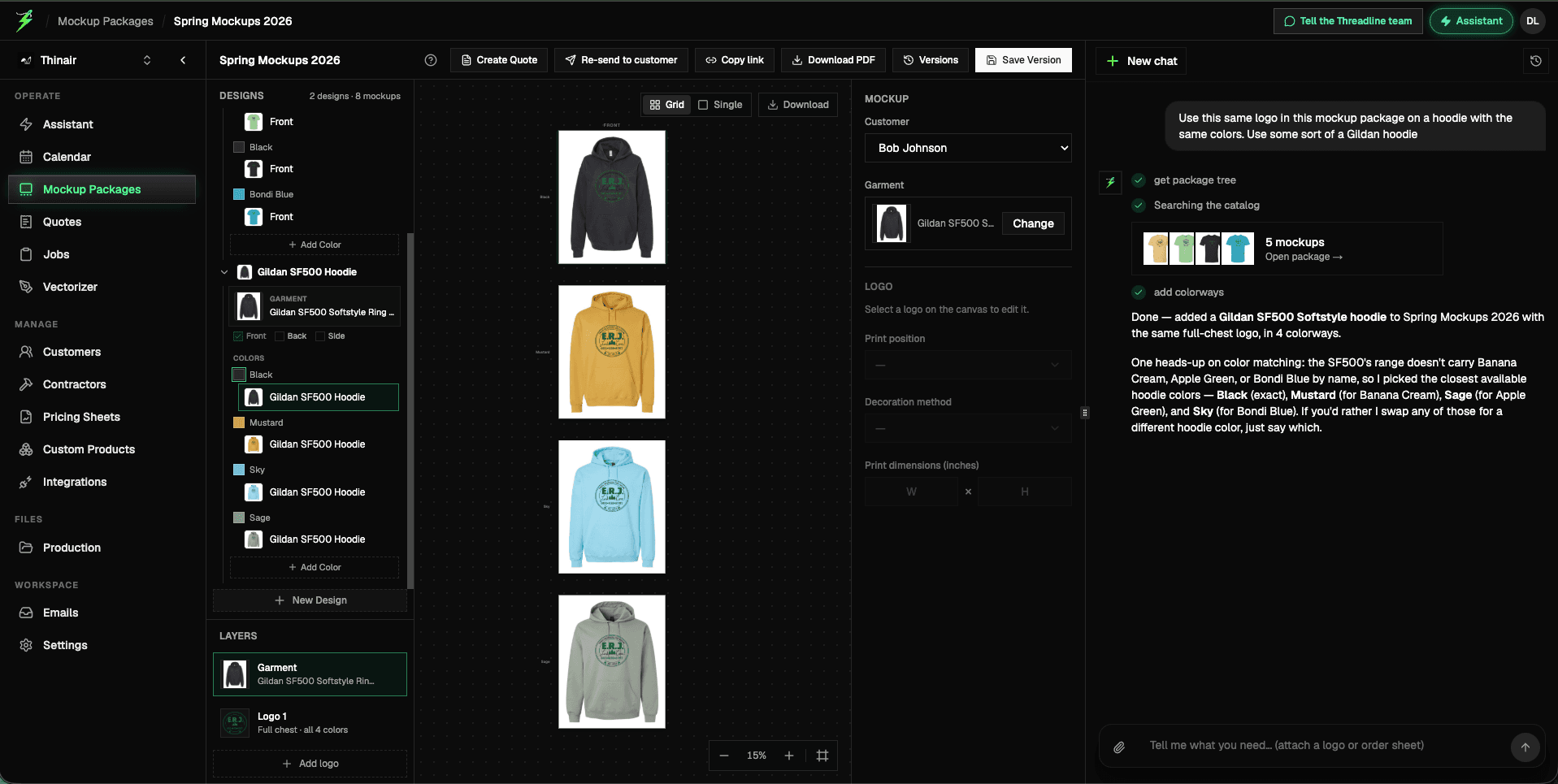
Ask for another product in the same colors or describe a complete proof package. The assistant searches the catalog, builds the matching mockups, and shows you what it selected.
Step 4
Send the proof. Get a precise answer.
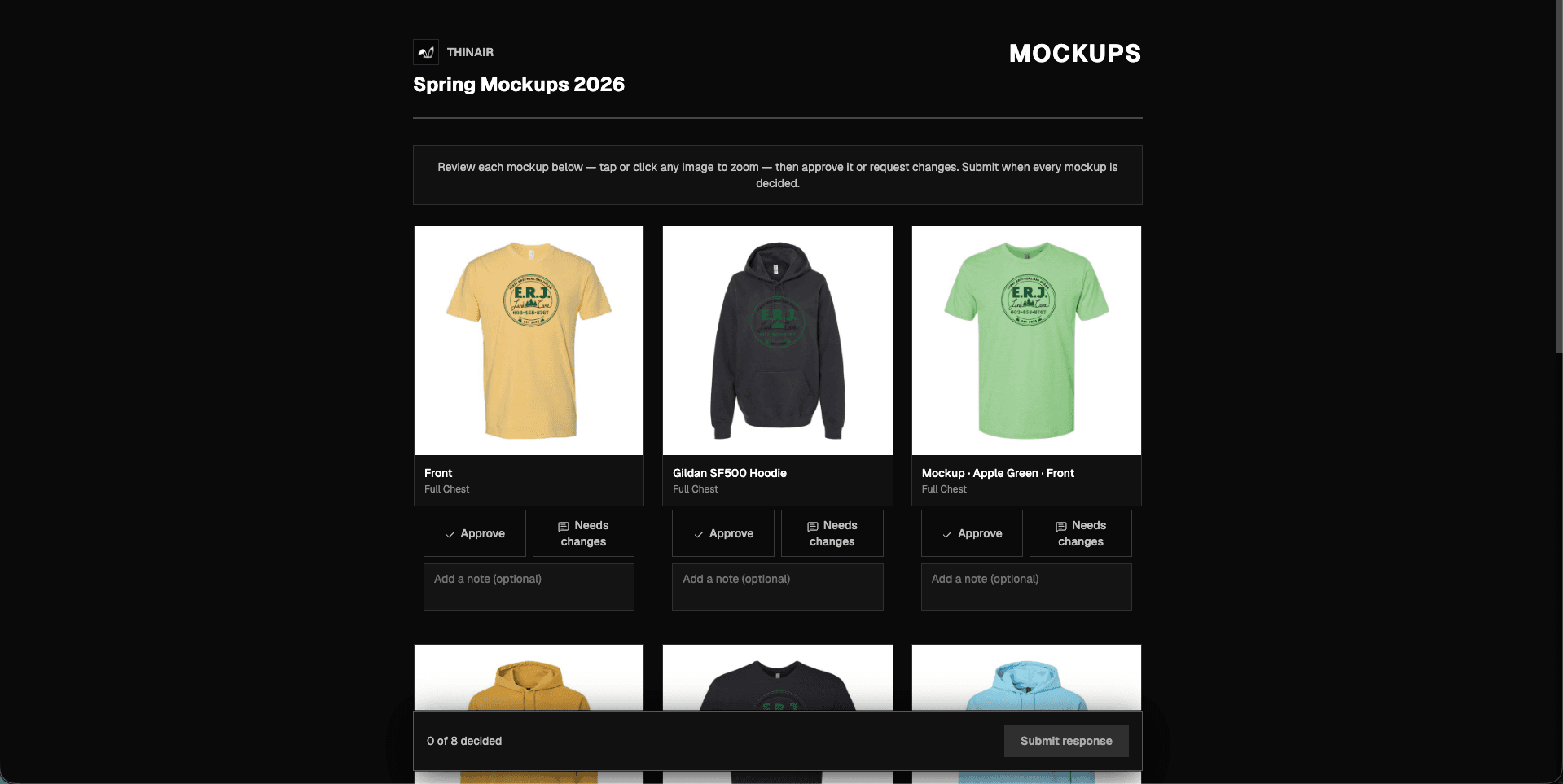
Share one branded link. Your customer reviews from a phone or computer, approves or requests changes on each mockup, and leaves notes beside the exact view. Threadline records the response on the package.
Use the product images your proof needs
Browse supported SanMar and S&S product photography or use the products and images in your custom catalog. Build each proof on the canvas that best represents the finished item.
What your team and customer can do
Is Threadline a mockup or design service?
No. Threadline is self-serve mockup and proofing software your team uses. Upload the artwork, choose the product and placement, tell the assistant what you need, then review every result before you share it.
Does my customer need an account to review mockups?
No. Send one approval link. Your customer can open it from their phone, approve each mockup or request changes, and leave notes without creating a Threadline login.
Can I control placement, views, and colors?
Yes. Build front and back views, set artwork placement and dimensions, and keep multiple garment colors together as one design so colorways stay organized.
Which products and images can I use?
Threadline supports SanMar and S&S product data and photography, plus products and images in your custom catalog. Choose the canvas that matches what the customer will receive.
What happens when the customer requests revisions?
Their decision and note stay beside each mockup. Update the affected views and reopen the review; already approved views remain decided so the customer can focus on what changed.
Can I export a PDF proof?
Yes. Export a branded PDF that groups every product and view, includes full-size links, and carries the same production disclaimer shown in the online review.
How does the trial work?
Use the full product for 21 days with no credit card. Continue for $199/month when the trial ends.
Turn the next artwork request into an approved proof
Build the mockups, send the proof, and capture approval or revision notes in one workspace. Try the complete workflow free for 21 days.
21 days free · no credit card · then $199/month